Tags in HTML
To keep everything organized and running smoothly, HTML provides a treasure trove of built-in tags to structure your content like a well-planned party. Imagine each tag as a different part of an event, all working together to make sure your web page is a hit!
Headline Tags: The VIPs of the Party
Tags <h1> through <h6> are your headline tags. Think of them as your party’s hierarchy of importance, with <h1> being the grand entrance—a booming voice announcing, "Welcome to the main event!" This is your fireworks display, the center of attention. As the numbers increase, so does the intimacy and subtlety: <h6> is the small but tasteful detail, like that classy little sparkler that tops off the dessert table. Each tag is designed to make sure that no one misses the big moments, but also that the smaller moments still get their due.
<h1>This is the grand title</h1>
<h2>Still important, but not as flashy</h2>
<h3>We're getting into the details now</h3>
<h6>This is the fine print—small but essential</h6>
Paragraph Tag: The Storyteller
The <p> tag is your paragraph tag, and it’s like the steady hum of conversation at the party. This tag is the place for all the gossip, stories, and interesting tidbits that keep people engaged. It’s the polite partygoers lined up in perfect rows, making sure everyone hears the latest news and nothing feels out of place.
<p>Here’s the scoop! This paragraph contains all the juicy details about our event.</p>
Anchor Tag: Your Personal Teleporter
Meet the <a> tag, the anchor tag, a party trick that never gets old. Imagine it as your magical teleportation device. Click on it, and suddenly you’re whisked away to another room or even to another event altogether! It’s got an “href” attribute that works like a GPS address—it knows exactly where to take you. Think of it as the social butterfly, effortlessly moving between groups and locations.
<a href="https://example.com">Click here to be whisked away!</a>
Image Tag: The Party's Photo Booth
Now, we can’t forget the <img> tag—this is the photo booth of the party. It’s where all the memories are made. You give it a source (src) to let it know where the photo is coming from, and it displays the image for all to see. You can add alternative text (alt) for those who can’t quite make it to the photo booth, ensuring everyone has a chance to appreciate the fun.
<img src="party-photo.jpg" alt="A fun party photo">
Organizing the Layout: The Venue’s Blueprint
HTML doesn’t just help with the content; it also sets the stage for how everything fits together. It’s like a well-designed venue with distinct areas, each with its own purpose.
-
<main>: This is where the party happens. The<main>tag holds the most important content—the main event of your web page. -
<header>: Think of the<header>as the welcome sign or the front door to your party. It introduces guests and gives them an idea of what to expect. -
<footer>: This is where the<footer>tag comes in, the parting gift at the end of the night. It contains all the important closing details—like your contact information, links to related content, or legal disclaimers. -
<section>and<article>: These are your event planners, helping to organize your content into distinct parts. The<section>tag is like setting up different areas at your party—drinks over here, food over there—while the<article>tag provides self-contained content, kind of like the keynote speaker at a formal event. Each has its place to avoid chaos and keep everything flowing smoothly.
<header>Welcome to the party! Here’s what you can expect.</header>
<main>
  <section>
    <article>This is the main attraction—don’t miss it!</article>
    <article>Here’s another must-see part of the event.</article>
  </section>
</main>
<footer>Thanks for visiting! Don’t forget to grab your parting gift on the way out.</footer>
With these tags at your disposal, HTML ensures that your web page is more than just a collection of random elements—it’s a well-orchestrated event where every guest (or tag) knows their role.
Important
Tags are only static components in HTML, therefore they cannot provide any user interaction!
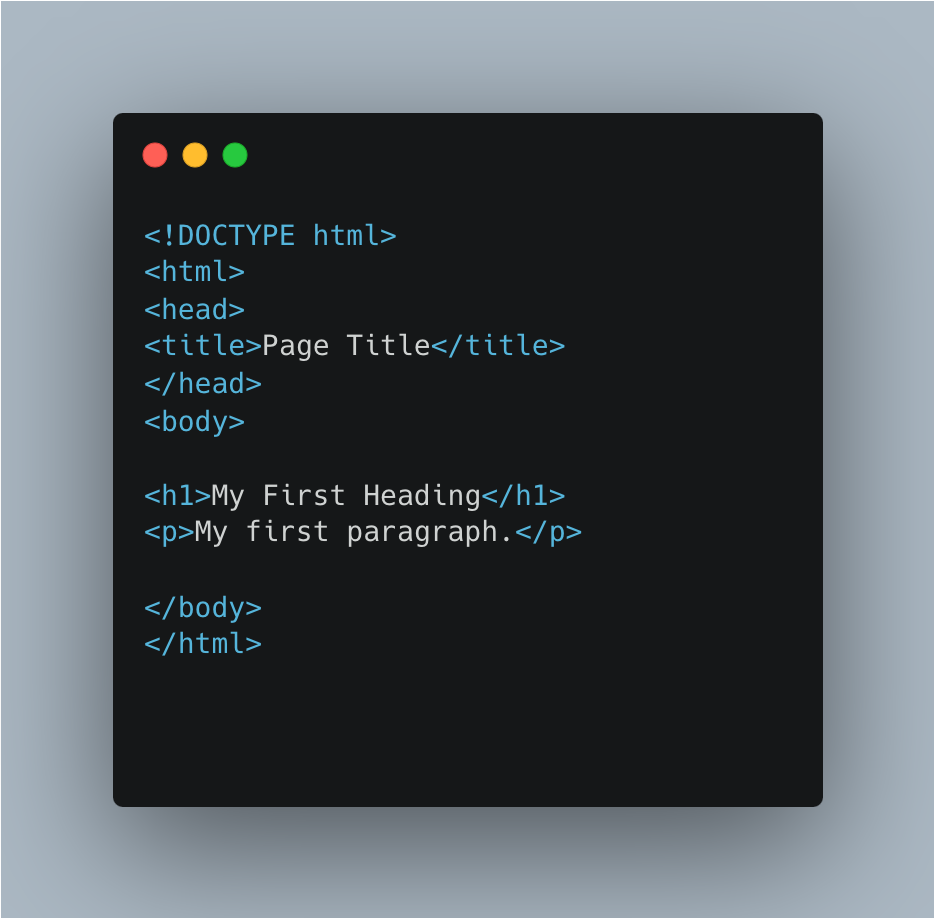
The overall structure of HTML documents consists of tags in various nestings.